User Guide

    How to use Analytics by Ghaith

    Not another SEO dashboard. An SEO decision & execution system that turns market, search, and site-technical signals into prioritized actions your team executes or delegates.

    Five of the nine surfaces — Search Intelligence, Insights Summary, Insights & Actions, Onboarding, and most of the Website Intelligence Suite (Core Web Vitals + the Webmaster Suite) — run without connecting a property, on public-data + filters alone. Plug in Google Search Console and Google Analytics 4 when you want your own query inventory and audience detail layered on top — they extend the system, they don't gate it.

    Multi-source search intelligence
    Prioritized actions, not reports
    Execute or delegate from one screen
    Scan site health & build SEO code visually
    Request Access

    What is Analytics by Ghaith?

    Analytics by Ghaith is a multi-source SEO decision and execution system. It ingests live search, market, SERP, competitive, and site-technical signals and turns them into generated output.

    Instead of just presenting data, it provides prioritized action plans from three task engines, per-page Data-Driven Summaries, auto-written Authority recommendations, a G.A.I.T.H strategy library across six SEO layers × eight operator roles, a Core Web Vitals scanner and URL Health Inspector, and a visual web-studio that outputs robots.txt, sitemaps, JSON-LD, meta tags, and tracked URLs — valid on save.

    What You Can Do

    Goal-based paths. Pick the outcome — the platform routes you to the right pages.

    Produce role-scoped or SEO-scoped task lists from live market and layer data, then delegate what isn't yours.

    • Tools — Insights & Actions (Delegate: market-driven, by role)
    • Tools — Insights & Actions (SEO: layer + market + channel)
    • Insights — Insights Summary (Static: benchmark + platform + layer)

    Tailored Guides

    Eight role paths covering day-to-day workflows across the platform. Tap a role to see its four-step guide.

    • Traffic Sources — identify best-performing social channels
    • Top Pages — find content to repurpose into posts
    • Insights Summary — trending topics and social signals
    • Share in bulk — distribute PDF reports via WhatsApp/email

    Access & Data Requirements

    The platform is usable before you connect anything. Six surfaces run entirely on public data, user input, and filters — connect GA4 or GSC only when you want your own property layered on top.

    Page / ToolNeeds
    Analytics — Overview / Traffic / Top Pages / Demographics / Real-timeGA4
    Insights — QueriesGSC
    Tools — Authority (GA4 + GSC)GSC or GA4
    Tools — Website Intelligence — all tabs except URL HealthNone
    Tools — Website Intelligence — URL Health InspectorGSC or GA4
    Tools — Search IntelligenceNone
    Tools — Insights & ActionsNone
    Insights — Insights SummaryNone
    Insights — OnboardingNone

    Core Workflows

    Three groups, three intent layers: Analytics interprets your own property performance, Insights runs multi-source search + market intelligence and the G.A.I.T.H onboarding protocols, and Tools is the execution surface — three task generators, competitor and SERP research, and a visual web-studio (Core Web Vitals, URL health, and five code builders with live preview). Every Analytics page carries its own Data-Driven Summary, tasks & recommendations generator, and search tool.

    Every Analytics page ships with the same anatomy: a Data-Driven Summary written against the live data on screen, a per-page Tasks & Recommendations generator, and one or more page-scoped search tools.

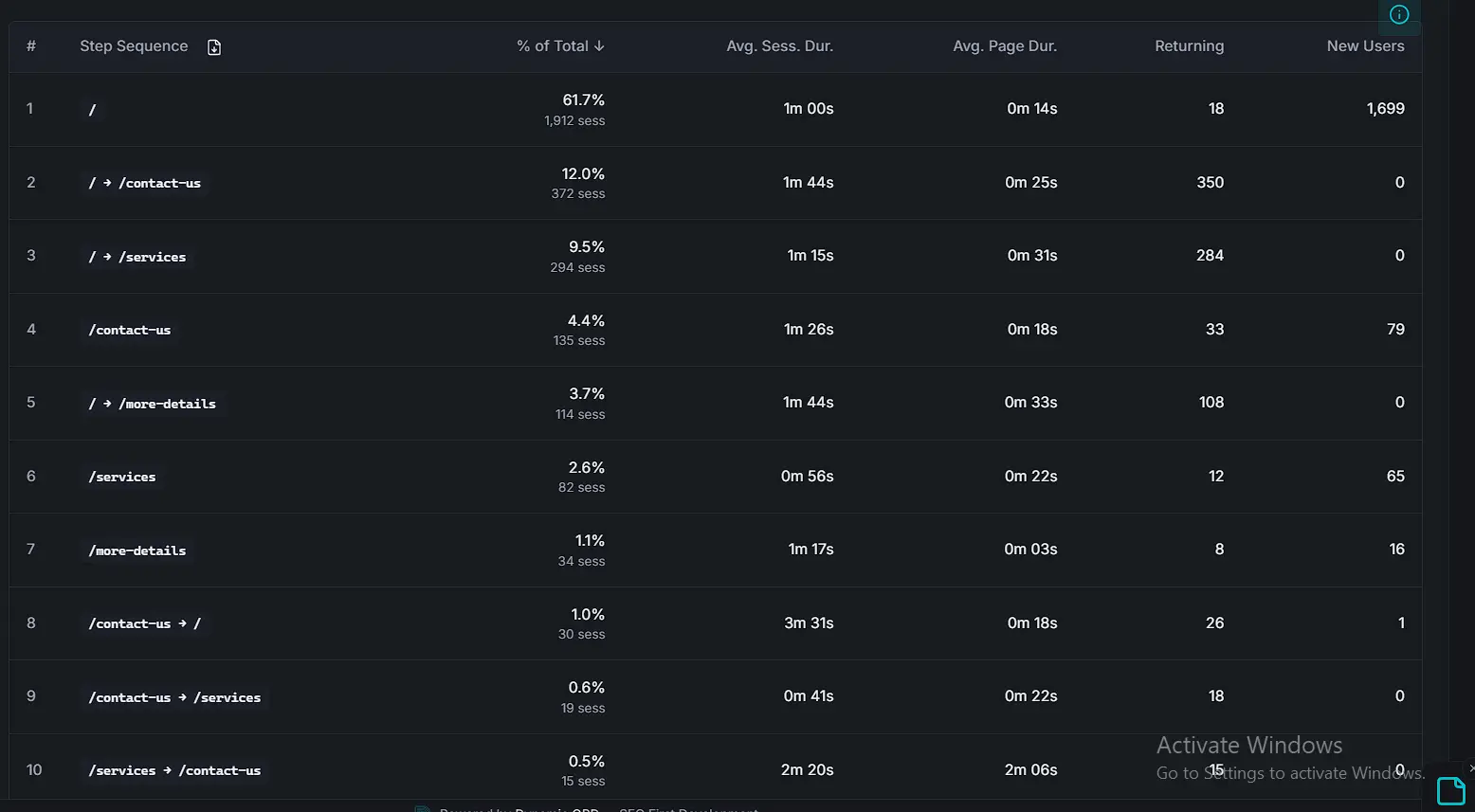
    G.A.I.T.H Framework User Journey Step Sequence Chart
    User-journey step sequence

    Page-path tables and charts showing how visitors progress through the site, ranked by frequency and conversion weight.
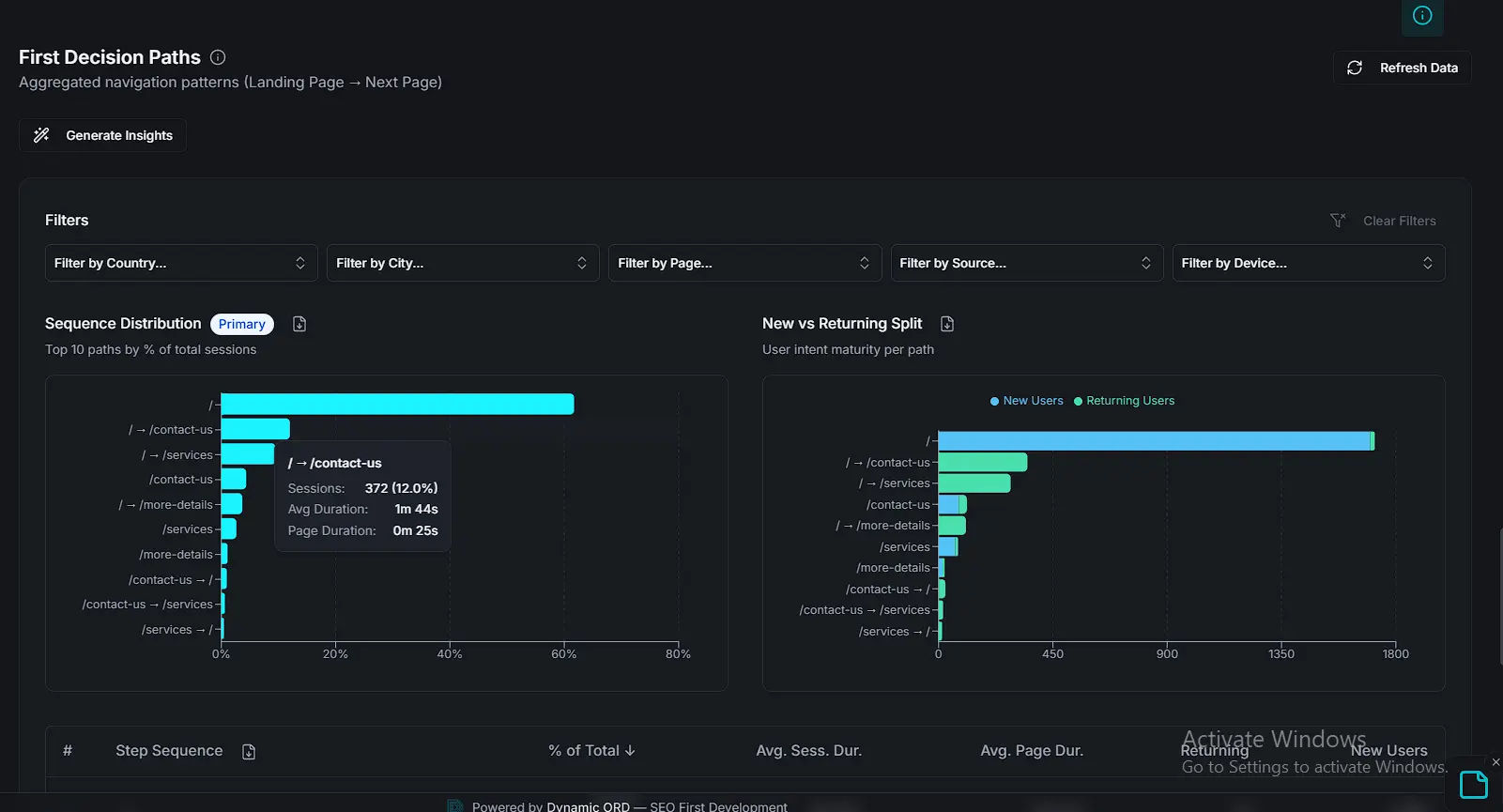
    Live Data Probability for SEO Strategic Decision Paths
    First-decision paths

    Live probability model surfacing the decisions most likely to move the needle this week. Each path links directly to the tool that executes it.
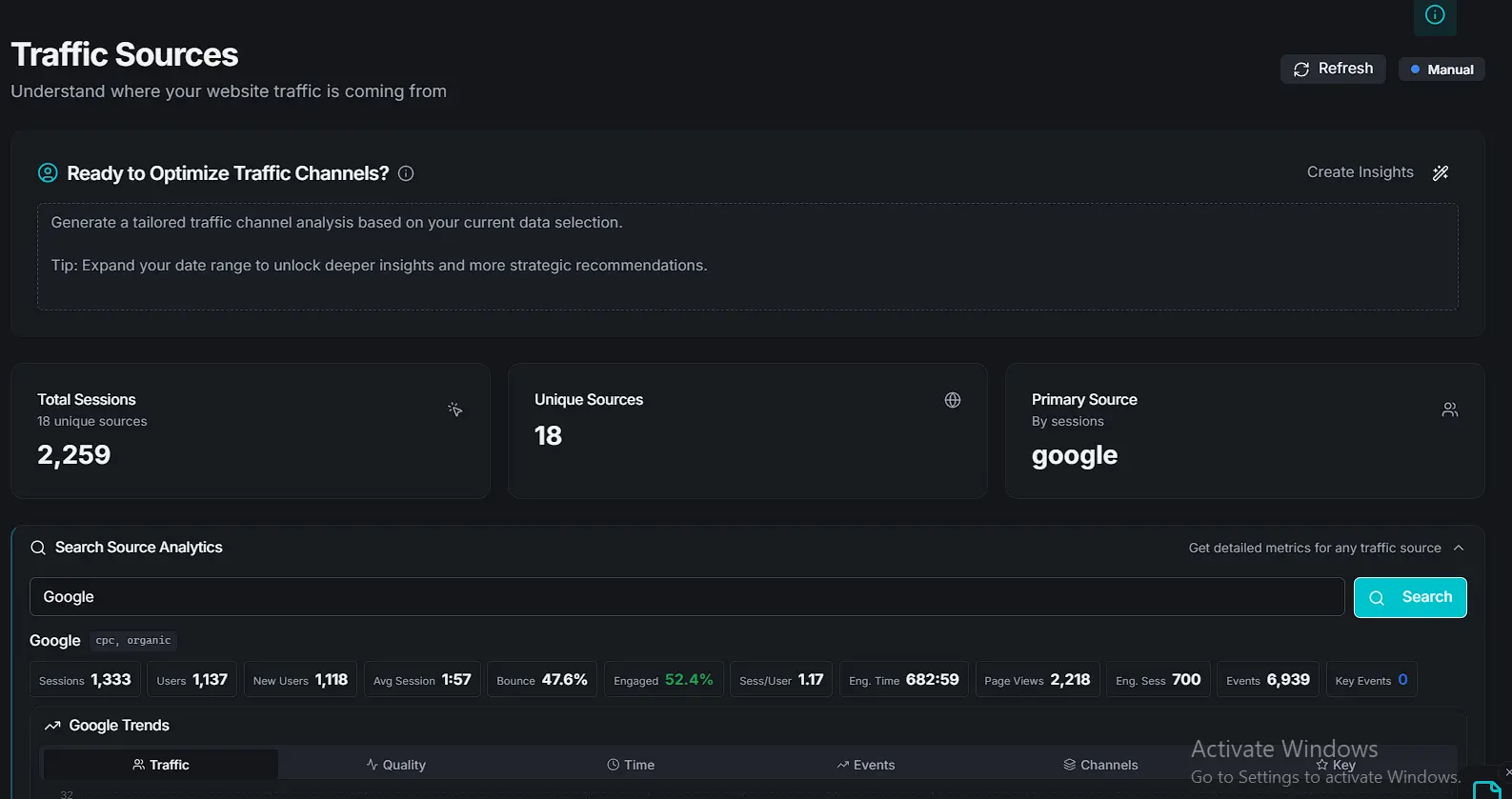
    Traffic Engagement and Bounce Rate Summary Cards
    Engagement and bounce cards

    Top-of-page summary cards for unique visitors, session duration, and bounce rate — scoped to the selected range.

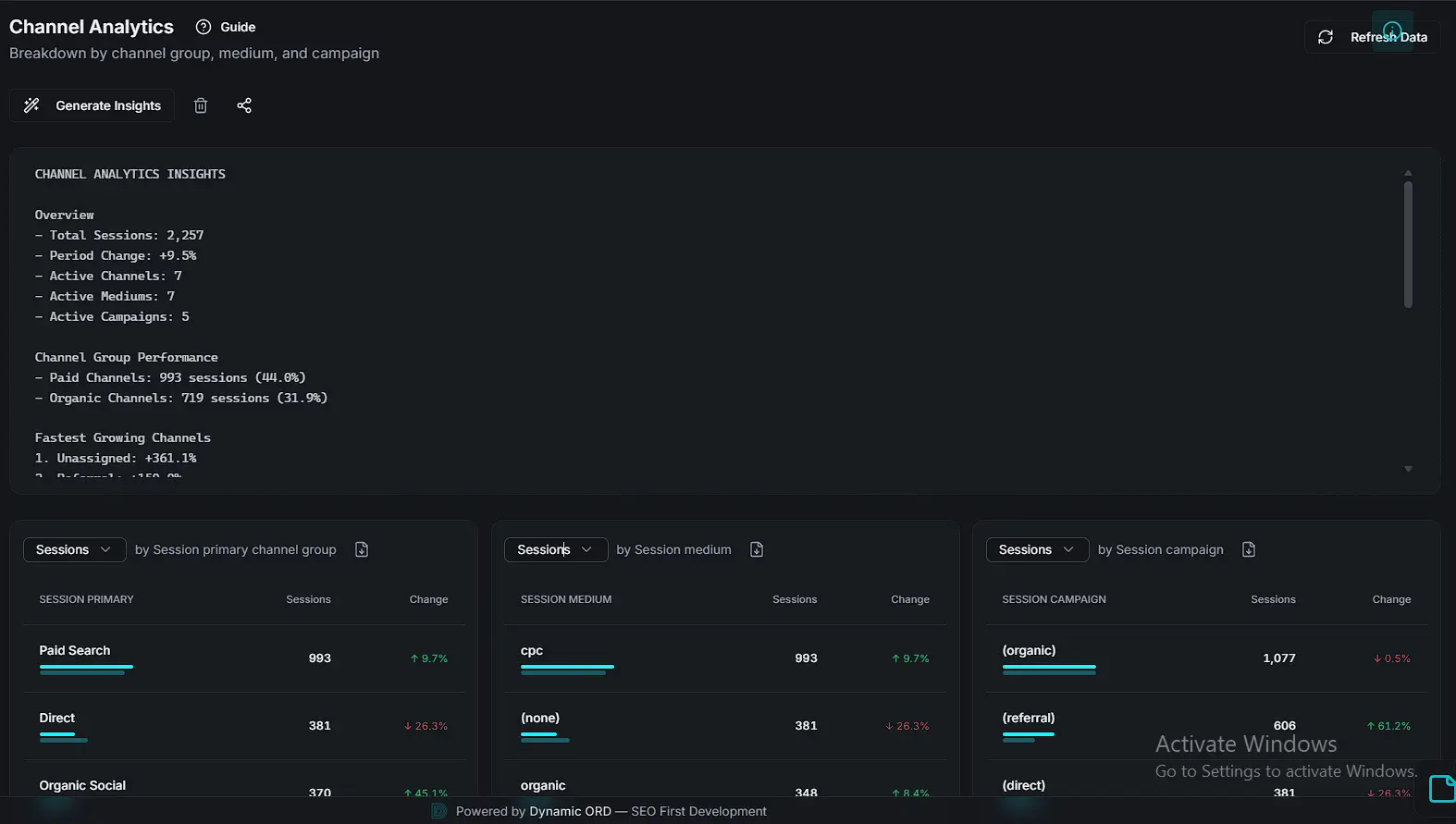
    Multi-Channel Acquisition and Lead Quality Analytics
    Channel analytics

    Multi-channel acquisition breakdown with lead-quality signals per channel. Paired with the page's Data-Driven Summary and task generator.

    Search Traffic Distribution Analytics
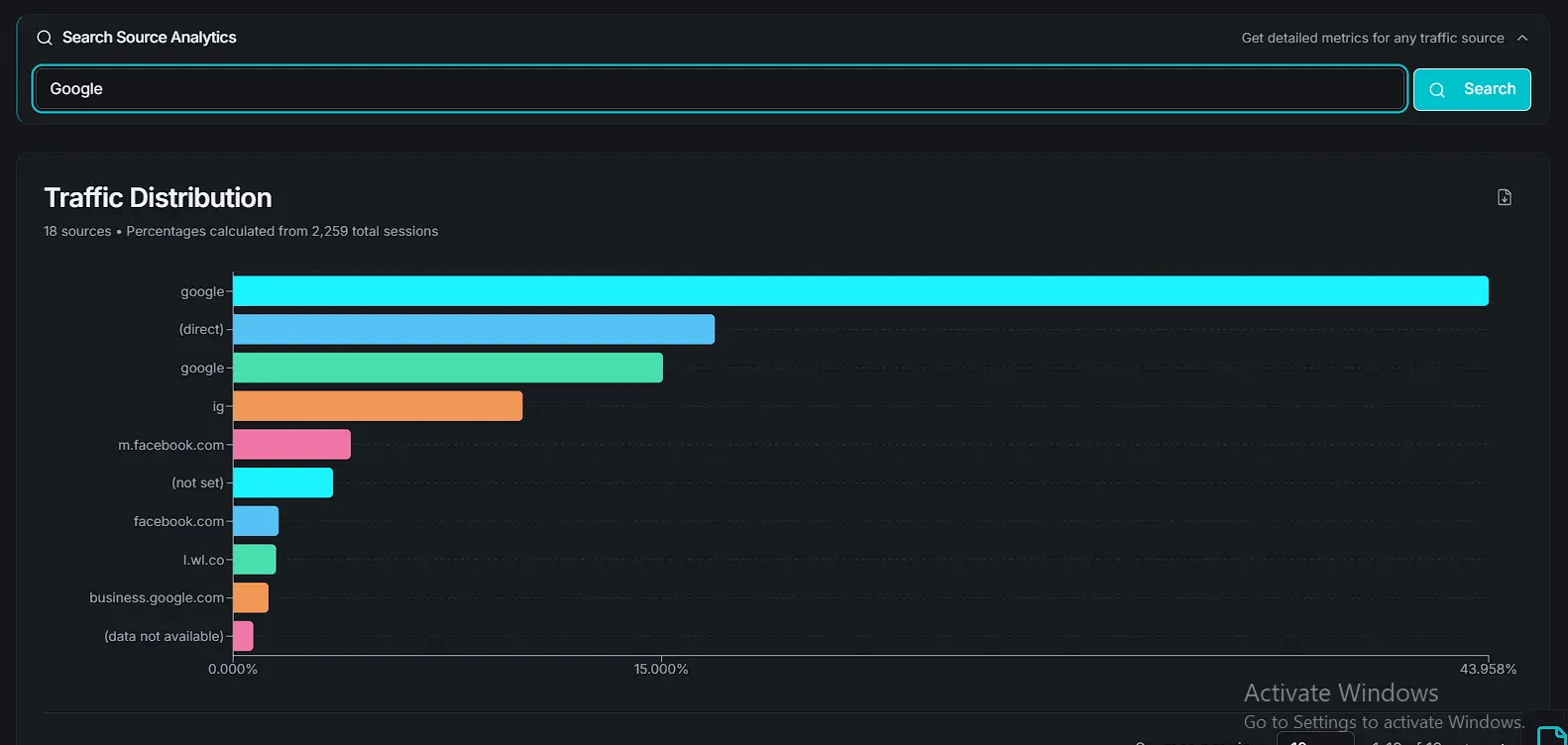
    Traffic distribution

    Organic, direct, and referral distribution across top landing pages — the map of where attention actually lands.

    Search Tool Connectivity and Crawler Health Monitor
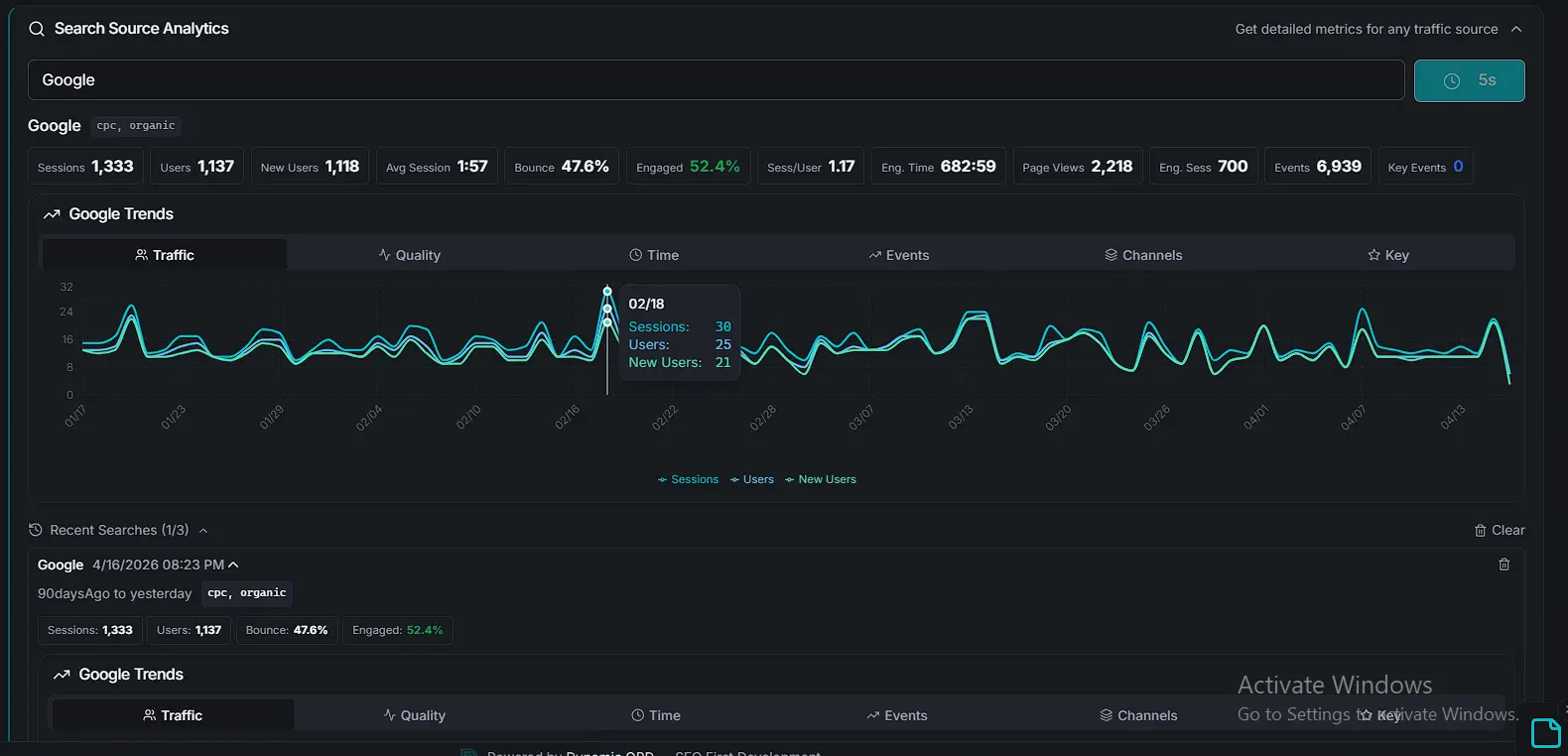
    Source search tool

    Page-scoped search tool for interrogating a specific source, campaign, or referrer without leaving Traffic.

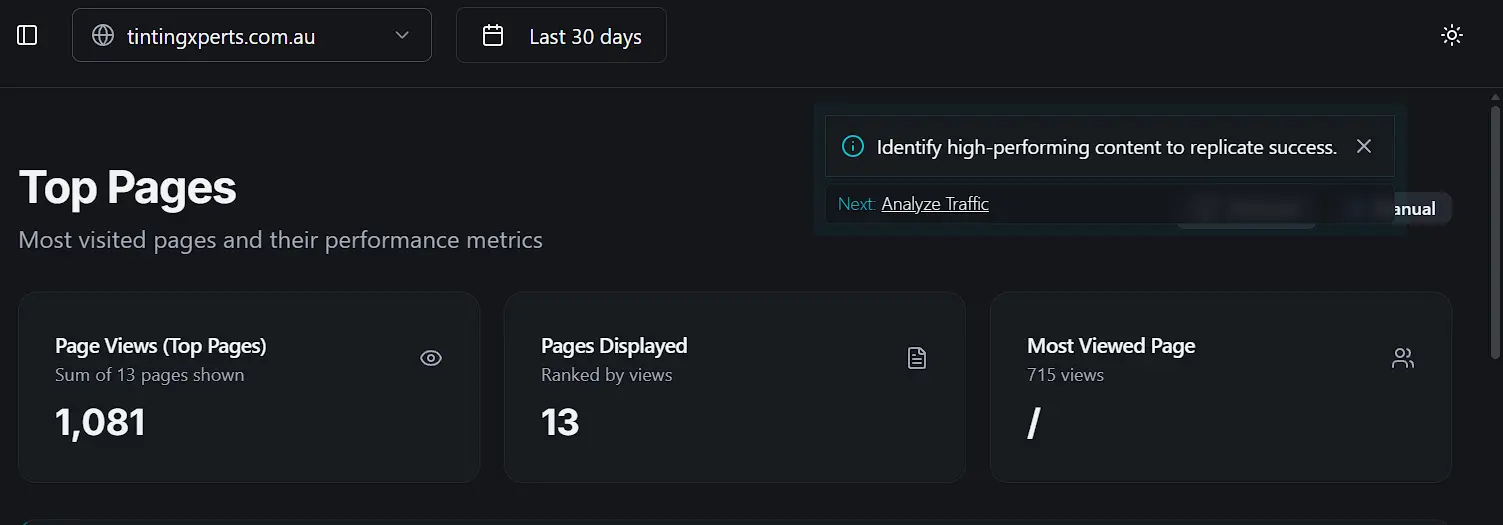
    Analytics Top Performing Pages and Metrics Header
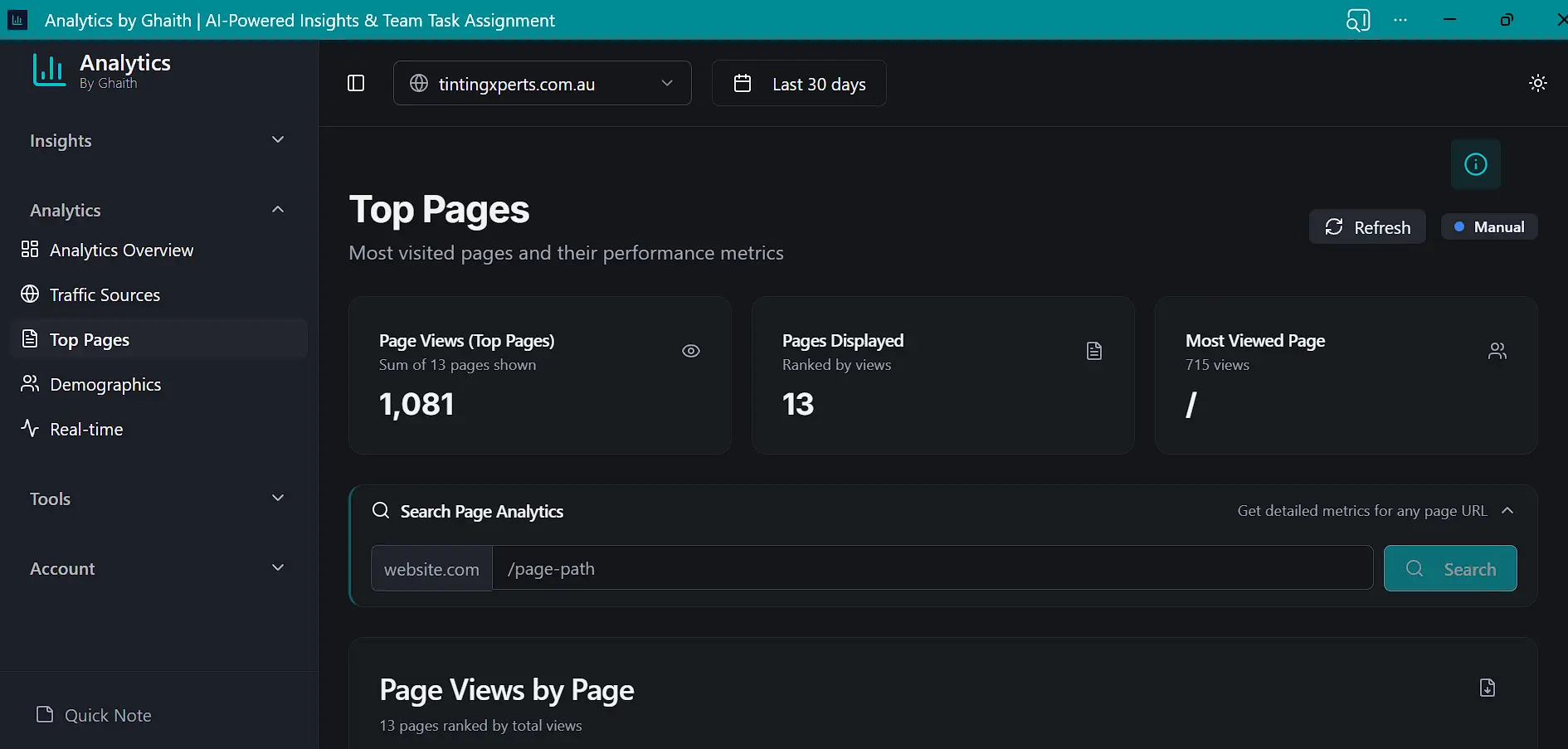
    Top-performing pages overview

    Ranked list of pages with core metrics, served with its own Data-Driven Summary and task generator.

    Granular Page-Level Performance and Traffic Analytics Tool
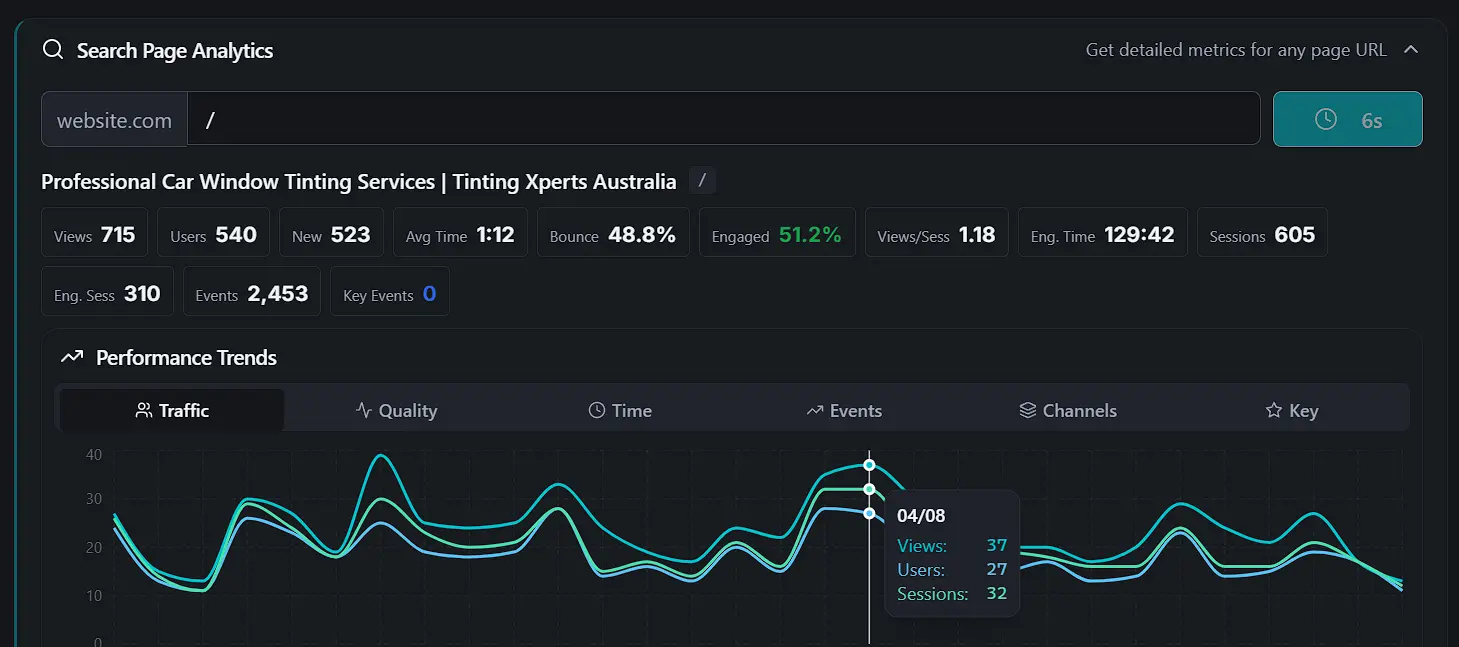
    Search Page Analytics tool

    Page-level deep-dive tool: performance trends, traffic mix, and engagement for a specific URL.

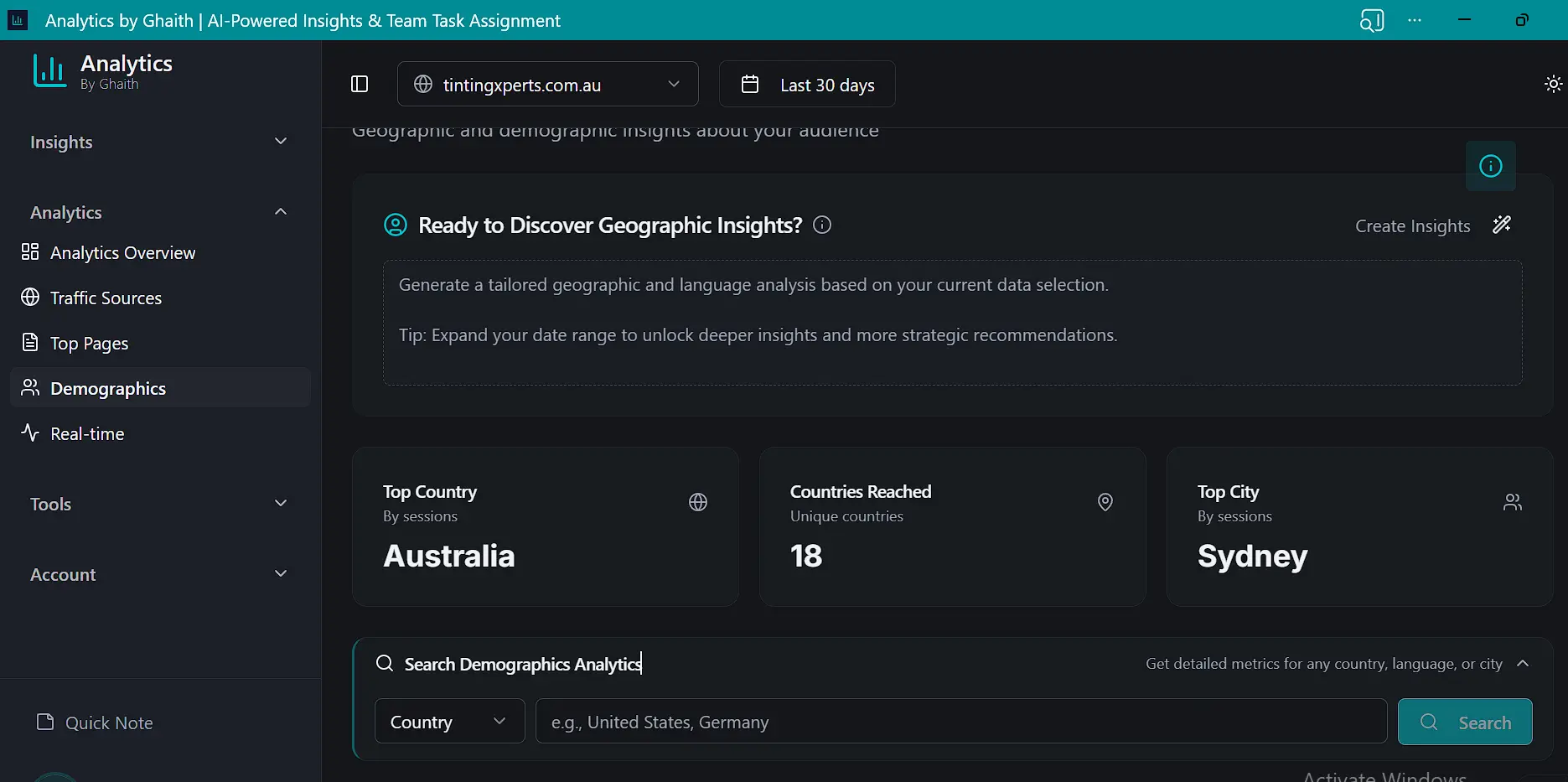
    Global Geographic and Demographic Reach Headers
    Geography and demographics header

    Top Country, Countries Reached, and Top City summary alongside audience composition.

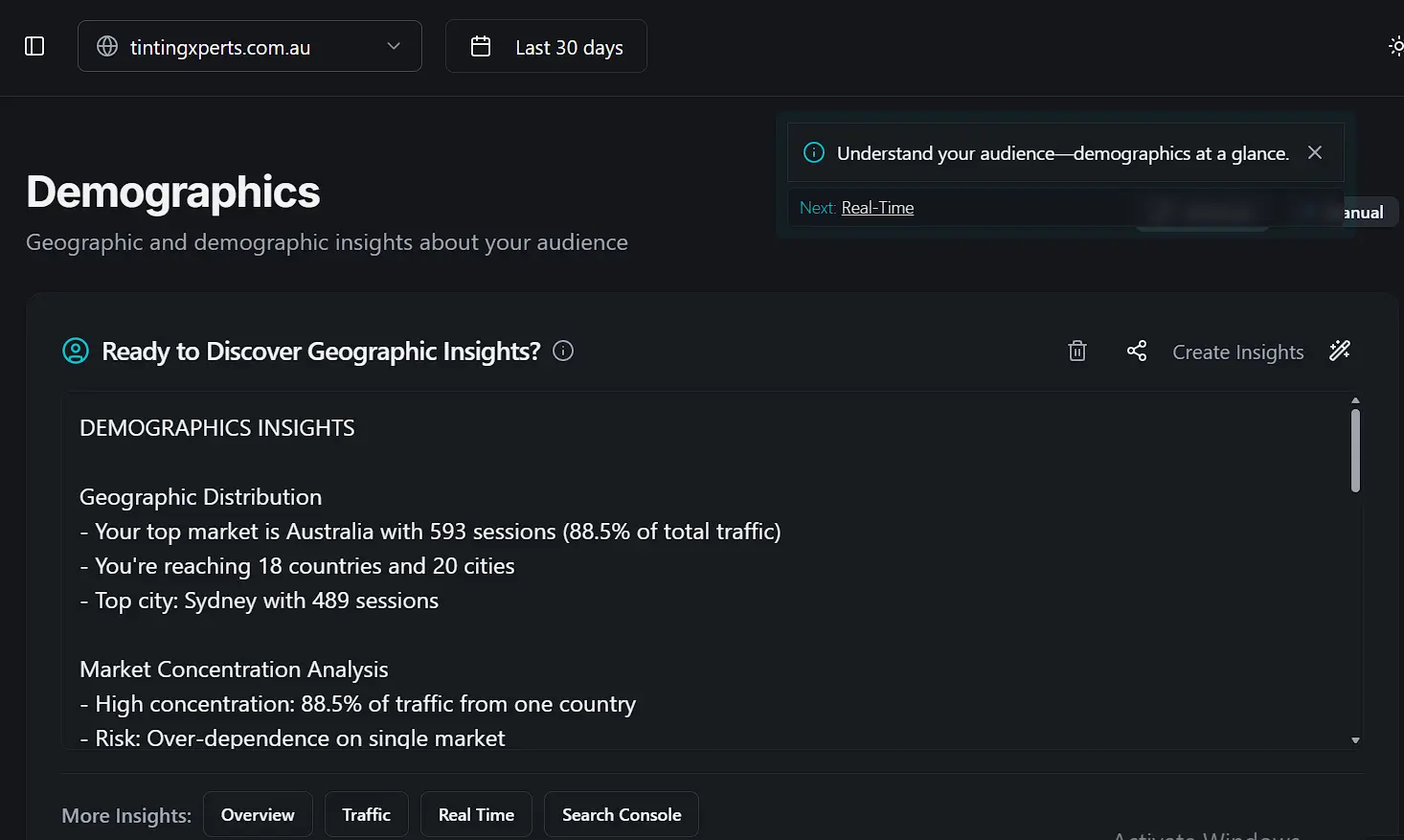
    Data-Driven Demographics and Geographic Insights Generator
    Insights generator

    Geographic distribution and market-concentration analysis paired with task and recommendation output.

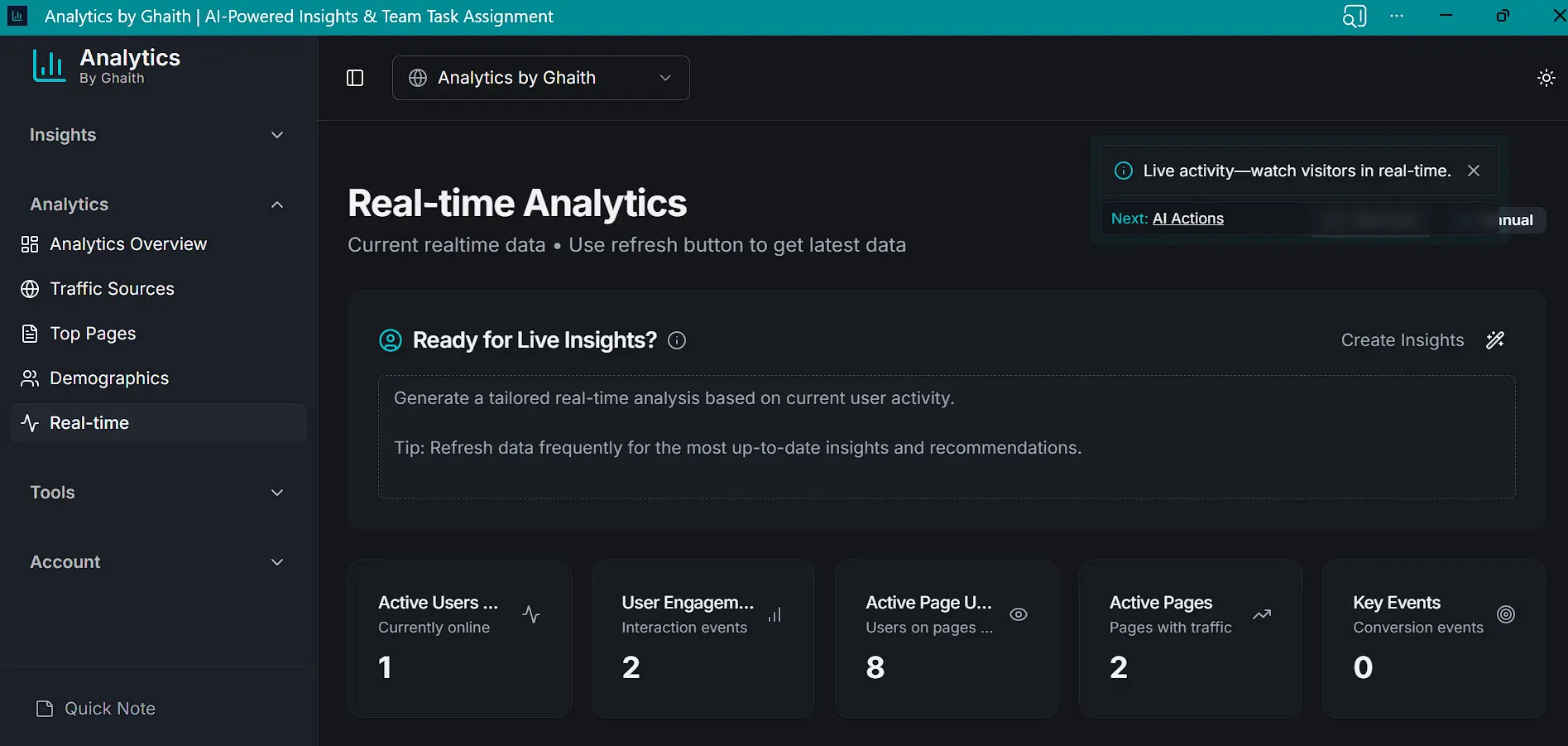
    Live Active User Tracking and Real-Time Engagement Dashboard
    Live active users & events

    Active users, top events, and source attribution updating in real time — with the same summary + task pattern as the other Analytics pages.

    Optional: layer your own property on top

    The decision engine runs without a connected property. Adding GSC extends the Queries surface and the GSC half of Authority; adding GA4 activates the Analytics group and the GA4 half of Authority. The GSC steps below apply to GA4 by the same pattern — only the scope text changes.

    1. 1
      Open Setup

      Go to Setup from the top-right menu after logging in. Choose 'Connect Google Search Console'.

    2. 2
      Authenticate Google

      Approve the read-only scopes. We never store your credentials — only short-lived tokens managed by Supabase.

    3. 3
      Pick your property

      Choose the verified GSC property you want to analyze. Multiple properties can be added; switch any time.

    4. 4
      Verify data flow

      Return to Overview. Metrics populate within a minute. If not, use the Retry Now button.

    Platform Features

    Cross-cutting capabilities available from every dashboard page.

    Contextual UX Guidance and Next Step SEO Hints

    Floating page hints

    Contextual in-page guidance explaining what each dashboard does and what to do next.

    Daily SEO Briefing Popup for Search Transparency

    Daily SEO briefing

    A transparent, source-linked daily briefing surfaced on login with jumps to full detail.

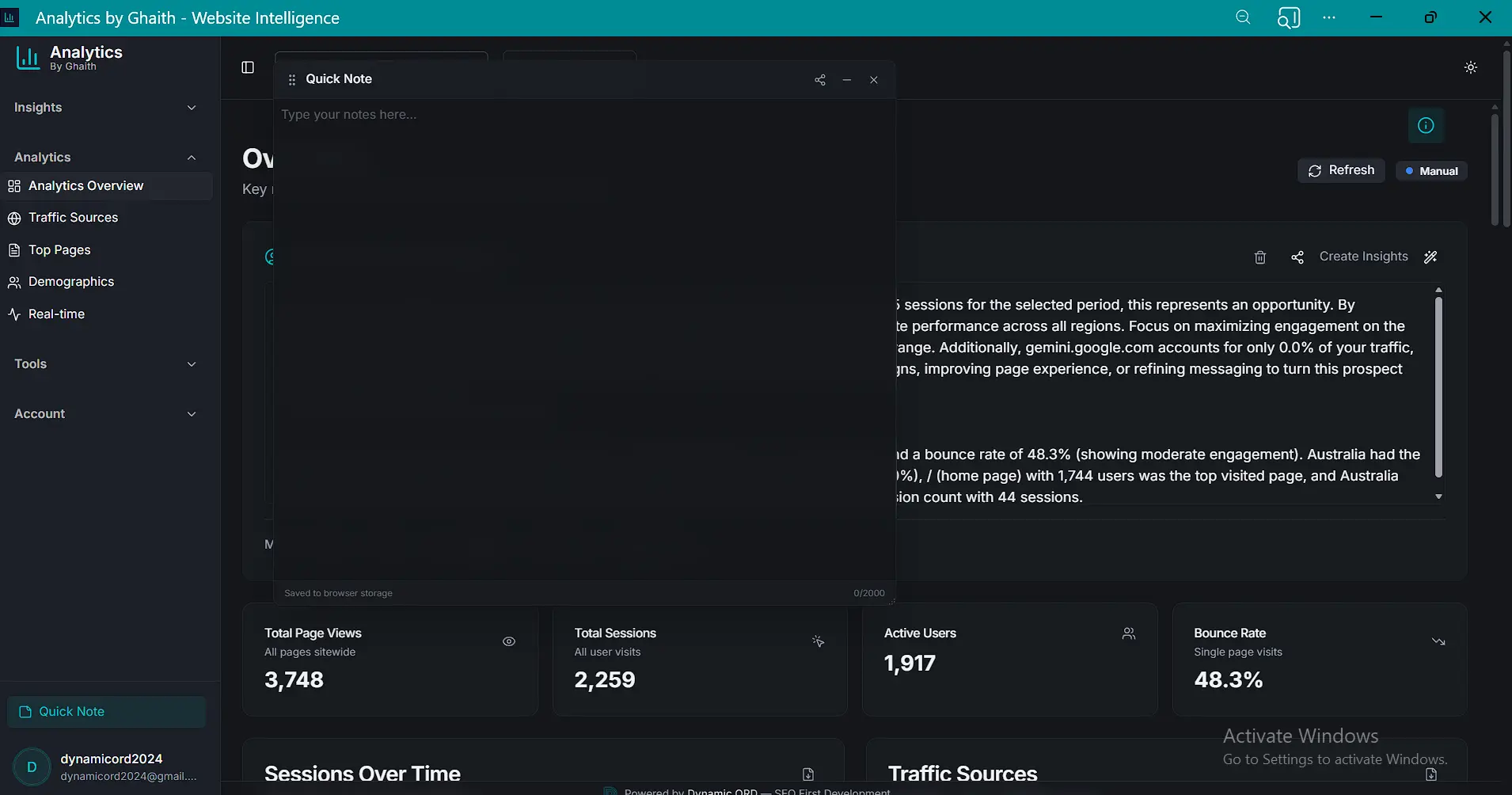
    Floating quick note tool for writing and sharing persistent notes across the platform

    Floating quick note

    One persistent floating note accessible on every page. Write up to 1,100+ characters and share it directly — it doesn't disappear between visits.

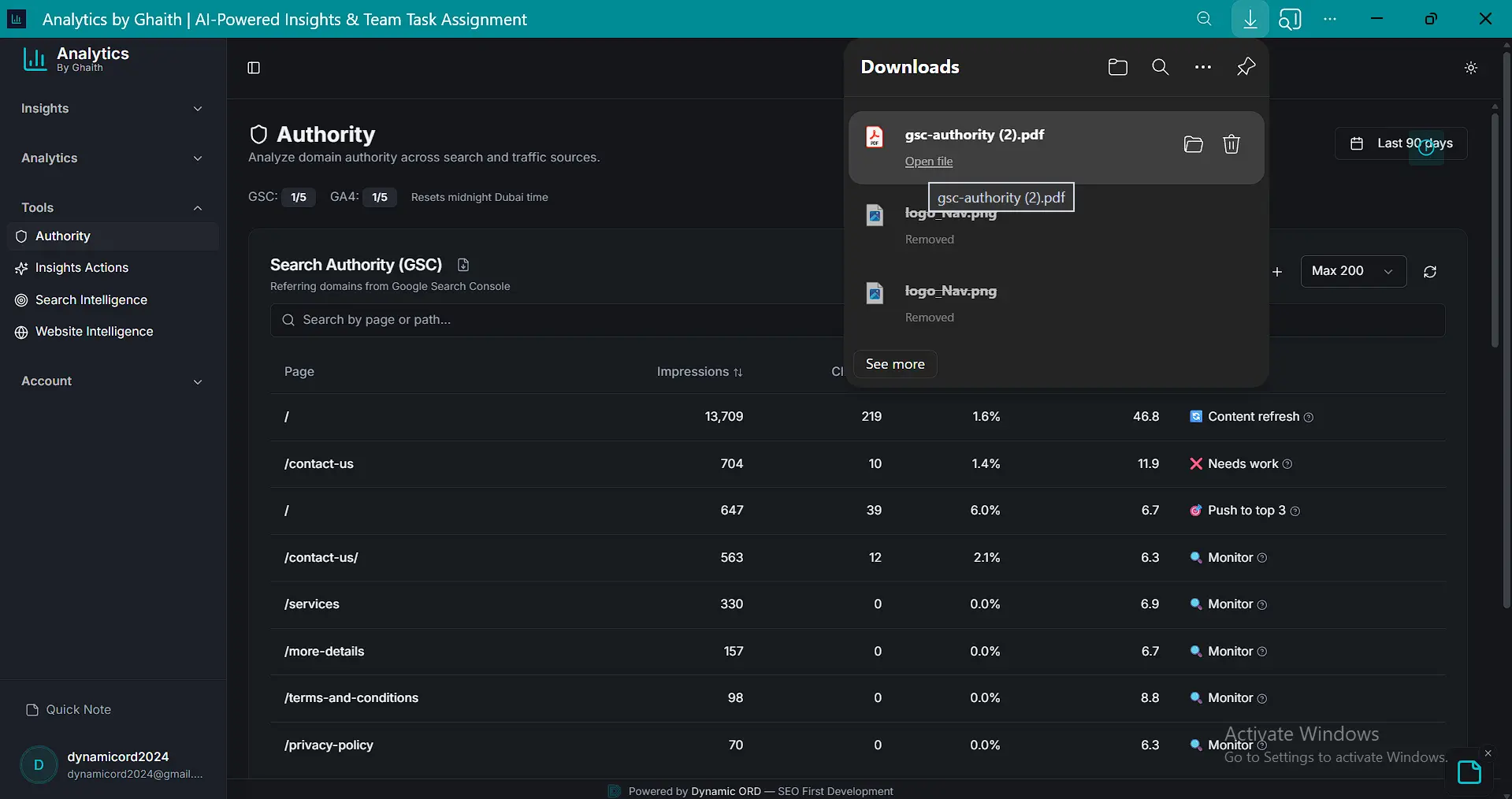
    Bulk PDF export feature for charts, graphs, and tables across GA4 and GSC dashboards

    Bulk PDF reports

    Export branded PDFs of multiple dashboards in a single action, ready for stakeholders.

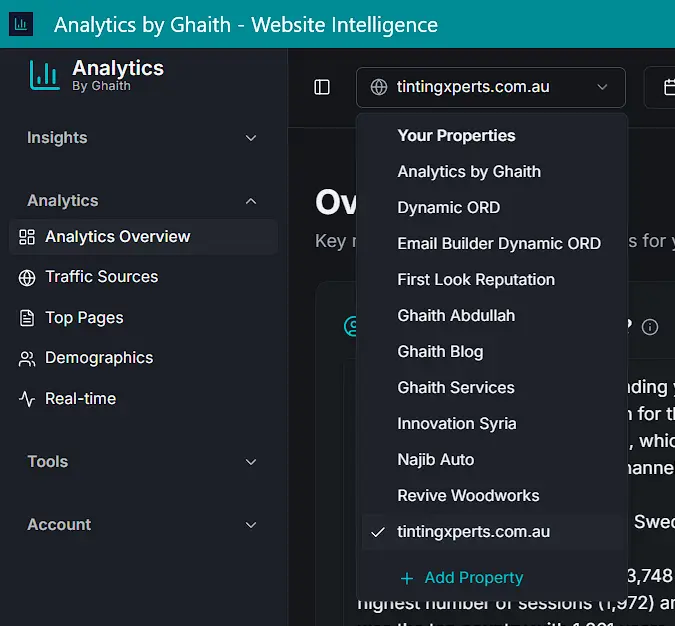
    Scalable Multi-Site Management and Project Switcher

    Unlimited properties

    Track as many GA4 and GSC properties as you need under one account.

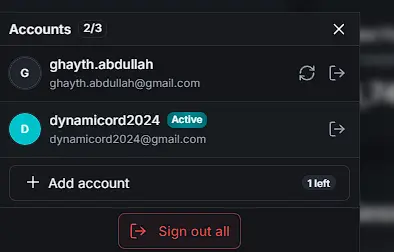
    Switch Between Up to Three Accounts Without Re-auth

    Multi-account switching

    Switch between up to three accounts without re-authenticating.

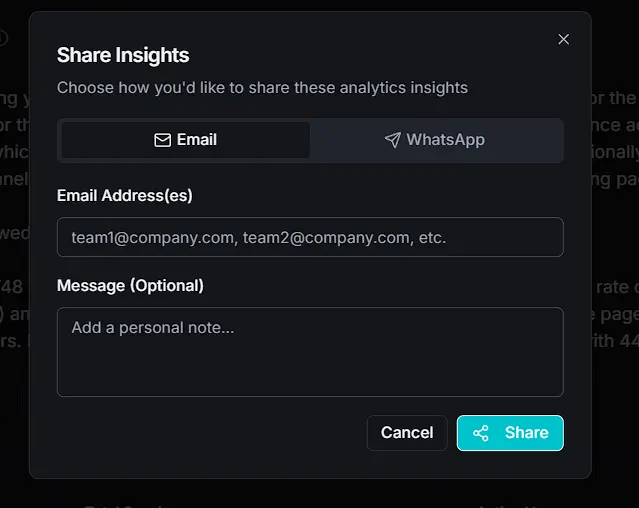
    Share Reports in Bulk Across All Pages

    Share in bulk

    Share dashboards via email or WhatsApp in bulk across all pages.

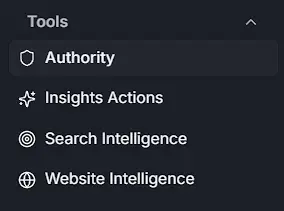
    Proprietary SEO Tools Navigation Sidebar Menu

    Groups navigation

    Consistent sidebar groups — Analytics, Insights, Tools — for predictable navigation.

    Frequently Asked Questions

    Direct answers for operators, admins, and stakeholders.

    Analytics by Ghaith is a multi-source SEO decision and execution system. It ingests live search, market, SERP, competitive, and site-technical signals and turns them into generated output: prioritized action plans from three task engines, per-page Data-Driven Summaries, auto-written Authority recommendations, a G.A.I.T.H strategy library across six SEO layers × eight operator roles, a Core Web Vitals scanner and URL Health Inspector, and a visual web-studio that outputs robots.txt, sitemaps, JSON-LD, meta, and tracked URLs — valid on save.

    The decision engine reads multiple categories in parallel: live market feeds, search intelligence (SERP, regional patterns, competitor entity mapping, news, trending queries, definitions, Google Business Profiles), technical-SEO APIs (Lighthouse/PageSpeed, URL crawler with rich-results validation, robots and sitemap analyzers), and — optionally — your own GSC and GA4 data. Internal orchestration endpoints normalize everything before it reaches the generators.

    Generation happens at three layers. First, three strategic task engines — Insights Summary → Static (benchmark-driven), Insights & Actions → Delegate (market- and role-driven), and Insights & Actions → SEO (G.A.I.T.H-framework-driven). Second, every Analytics page and the Queries page ship their own Data-Driven Summary, task generator, and search tool. Third, the Authority tracker auto-writes per-row recommendations on data-load, and Onboarding offers a searchable G.A.I.T.H SEO Strategies explorer.

    Five surfaces run with zero setup: Insights Summary (Real-Time and Static), Onboarding (G.A.I.T.H Strategies library), Search Intelligence (markets, SERP, news, definitions, trending, GBPs), Insights & Actions (Delegate and SEO generators), and the Website Intelligence Suite — Core Web Vitals scanner plus the five-builder Webmaster Suite. The URL Health Inspector needs a GSC or GA4 connection. You can generate your first prioritized plan in under a minute.

    Connecting GSC activates the Queries surface (GSC queries summary + task generator, Keyword Explorer) and the GSC side of Authority. Connecting GA4 activates the Analytics group (Overview, Traffic, Top Pages, Demographics, Real-time) and the GA4 side of Authority. Both are optional extensions. Tokens are short-lived and Supabase-managed — credentials are never stored.

    Every generator writes its output to browser localStorage. Rolling histories keep the last three runs per tool. Insights & Actions enforces 3/day and 10/week quotas per tab, resetting Wednesdays in Dubai time. Keyword Explorer adds a 3-minute fetch cooldown. Nothing is server-side — clearing site data clears the history.

    Two combinable models: multi-account — switch between up to three accounts without re-authenticating, each with independent GSC and GA4 connections; multi-property — stay in one account and swap between any number of connected GA4 and GSC properties. Every page, generator, and history is property-scoped, so client data never cross-contaminates.

    Access is allowlist-based — only approved accounts can sign in. Authentication is passwordless with MFA. GSC and GA4 credentials are never stored; short-lived tokens are managed by Supabase and refreshed per session. All third-party intelligence calls route through internal endpoints that enforce rate limits and never expose provider keys to the browser.

    Dashboard pages expose a branded per-page PDF export. The bulk export batches several pages into one deliverable. Generators and tools support direct email and WhatsApp sharing, with recipients preserved from previous sends. Delegation from Insights & Actions pushes individual tasks to teammates through the same share flow.

    Stop interpreting dashboards. Start shipping decisions.

    Every other tool hands you charts and asks you to figure it out. Analytics by Ghaith reads the market, your search landscape, and your site's technical state — and hands you the prioritized actions.

    Generate a plan in your first minute — no property connection required. Connect GSC and GA4 later to layer in your own query inventory and audience detail.